How PingPoint load tracking works, step by step
You create a load in the dashboard and enter the driver's phone number. PingPoint texts the driver a link, the driver installs the free app and allows location, and you watch the load on a map until delivery.
Screenshots show demo data, not a real customer load.
1. Sign up and get the $10 credit
Create an account with your email, Google or GitHub. After your email address is verified, the account gets $10 of credit for loads and ETA requests (conditions). No developer, no integration and no carrier setup needed.
2. Create the load
In the dashboard, open New load and enter pickup, delivery and the driver's phone number. You can also fill the form from a rate confirmation PDF and check the fields before saving. Saving the load costs $0.65.
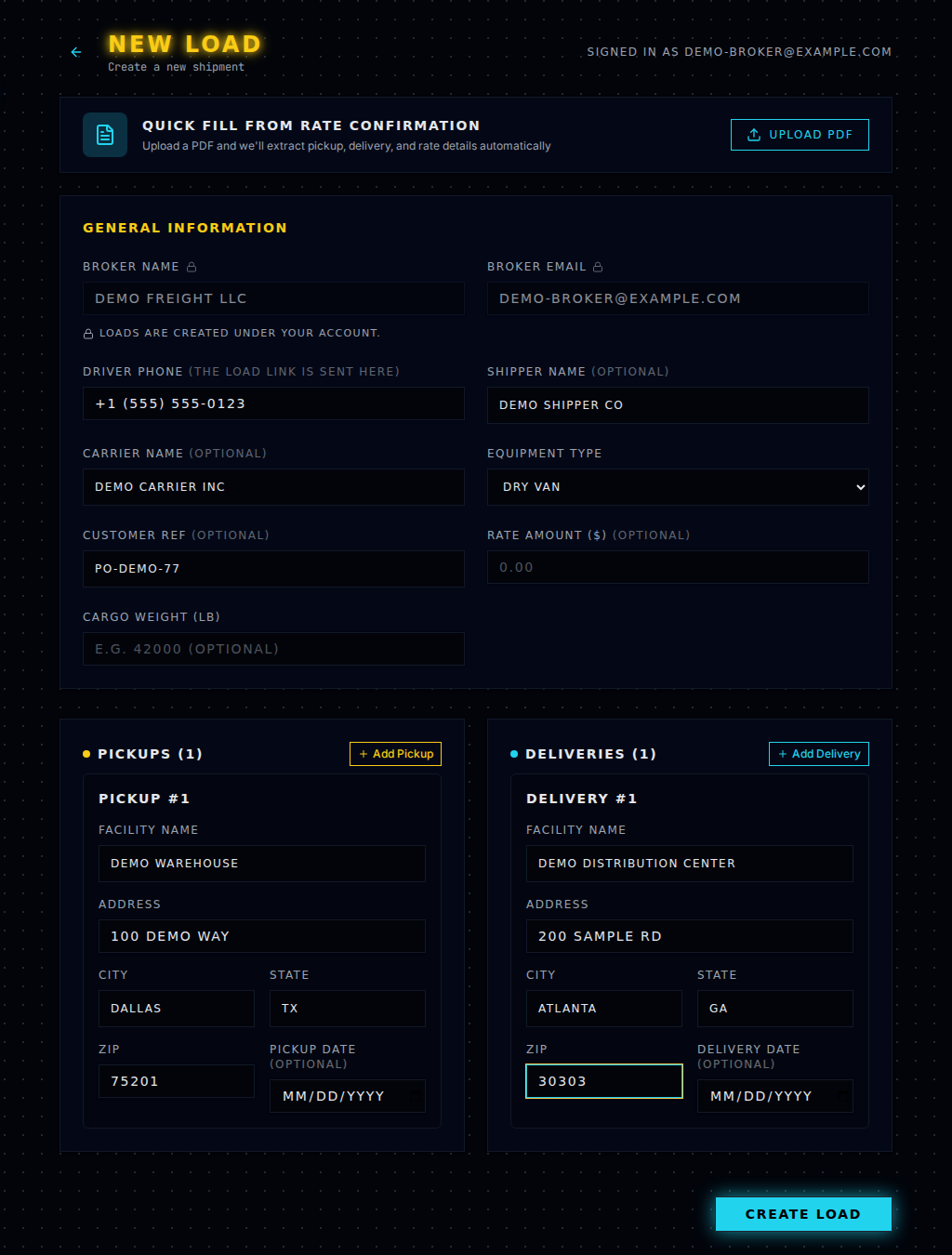
3. The driver gets an SMS
When the load is saved, PingPoint sends the driver a text message with a personal link. If the number was wrong or the driver lost the text, use Re-send / change phone on the load. Re-sending is free. From a phone you can also send the same link from your own messaging app.
Text message from PingPoint (demo broker name):
PingPoint: DEMO FREIGHT LLC requires real time location updates on your load. Tap to view load details and start tracking: https://pingpoint.suverse.io/driver/drv_… Reply STOP to opt out
4. The driver connects
On iPhone the link opens the App Store and on Android Google Play. The driver installs PingPoint Driver, agrees to location sharing and allows location access. There is no driver account. The load page shows where things stand: invite not sent, invite sent, link opened, connected.
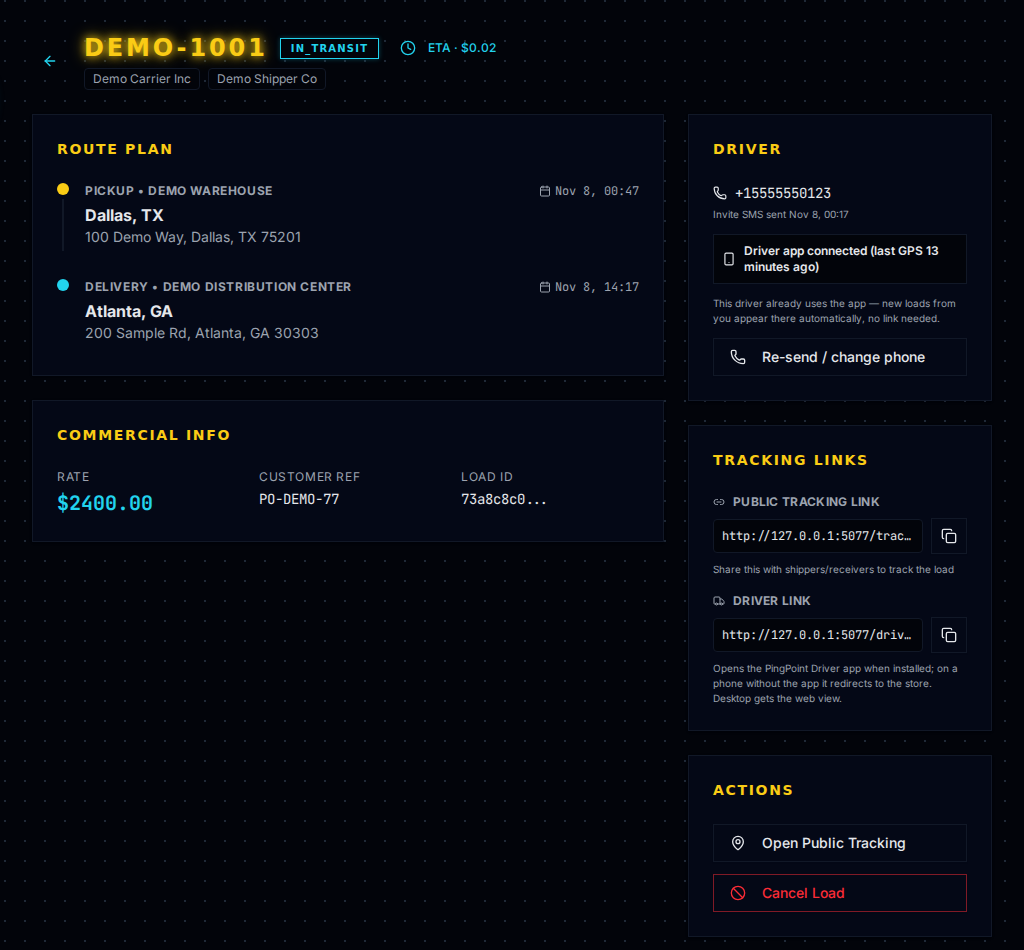
5. Track the load
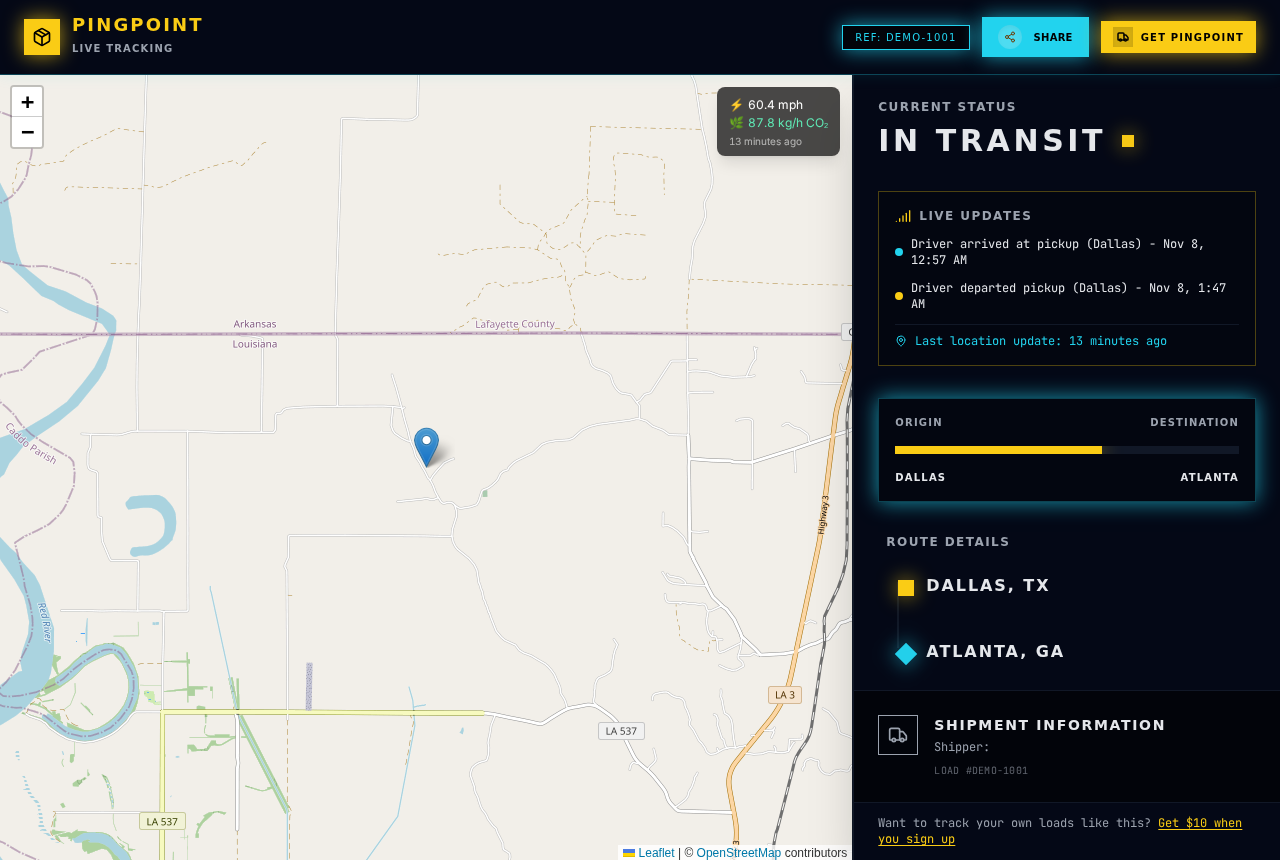
Press Open Public Tracking on the load to see the truck on a map with its last reported position and the time of the last update. Arrivals and departures at pickup and delivery are recorded automatically when the truck enters and leaves the stop area. Press ETA when you need an arrival estimate ($0.02 per click). Opening the load and the tracking page is free.
PingPoint emails you when something needs attention on an active load: no position for more than 20 minutes, the delivery window passed without the truck leaving delivery, or more than 60 minutes at a stop. The same alerts are listed on the Exceptions page, and you can turn the emails off in Settings.
6. Share the tracking link with your customer (optional)
The same tracking page is the link you can send to your shipper or receiver (copy it under Tracking links). It shows the position, status, stops and the time of the last update, and works in any browser. Tracking links are not listed in search engines. Your customer's views are free.
7. Tracking stops by itself
Tracking ends after delivery (when the truck leaves the delivery stop or the driver marks it departed) or when you cancel the load. The driver can also pause sharing in the app at any time. Your loads list and the tracking link show it when that happens.
Where it can go wrong
A driver who doesn't install the app, declines location or drives through areas with no signal. What you see in each case and what to do: FAQ and limits. What the driver sees: For drivers.
$0.65 per load · SMS invite, map and customer tracking link included · ETA $0.02 per click · no subscription · pricing